
13 Action News
Gray MediaNews & Magazines
3.2532.00 Reviews
- Version
- Varies With Device
- Installs
- 100.00K
- Age Rating
- Everyone 10+
Screenshots
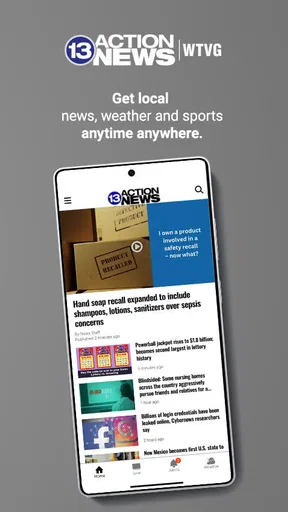
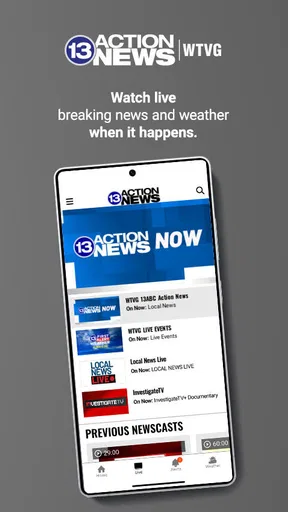


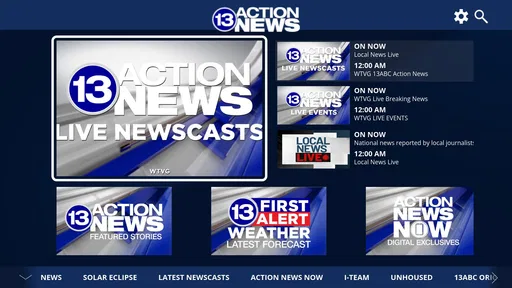
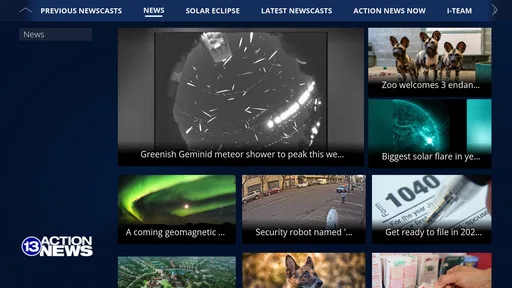
Our Review of 13 Action News
 Analysis by Appyee
I spent time with 13 Action News as a local news and weather app for Toledo, Ohio, and its value became clear in a very specific way: it is less about replacing every news source on my phone and more about giving local events a focused place to check. The app comes from Gray Media and centers on the reporting associated with 13 Action News, WTVG. It is free, aimed at Everyone 10+, and has been available since November 6, 2013.
That local focus matters when I want information connected to Toledo rather than a broad national feed. I can use it as a quick morning check, a way to follow developing local stories, or a second screen during changing weather. At the same time, I would not treat it as my only source for every kind of information. Its strongest case is regional awareness, especially for people who already recognize the 13 Action News brand and want its news and weather content in an app.
How clearly the app works for different readers and situations
I look at how the app’s Toledo focus can serve readers with different routines, access needs, and reasons for checking local news. A useful way to make that focus work is to treat the app as a starting point: check what matters locally, then choose a specialist or official source when the next decision requires more detail.
Readability and navigation in everyday use
The first thing I look for in a local news app is whether I can reach the useful part quickly. A news application has a simple job from the reader’s point of view: show me what is happening, help me understand whether it affects me, and let me move on. With 13 Action News, the Toledo focus keeps the experience more purposeful than a large national news application filled with unrelated headlines.
I find that focus helpful when I am checking the app in short bursts. If I have only a minute before leaving home, I do not want to sort through a wide national stream before finding local conditions. The combination of local news and weather gives the app a practical daily role, rather than making it feel like a publication I open only when something dramatic happens.
For readability, the most important factor is not just the size of the text. It is also how much information is competing for attention. Local news apps can become difficult when headlines, images, weather details, video elements, and alerts all demand attention at once. My advice is to treat the app as a scanning tool first: look for the main local story or weather information, then open the item that actually affects your plans.
Readers who prefer short, direct updates may find the focused format easier than a newspaper-style application with many sections. Someone who wants extensive background, long investigations, opinion columns, or a large archive may find the experience less satisfying. This is an important distinction: 13 Action News is convenient for staying oriented, but it should not automatically be mistaken for a complete research library.
The app’s average rating is 3.2 from around 1.7 thousand ratings, while its review count is around 532. I read that as a sign to keep expectations realistic. There is enough interest for the application to be a familiar local option, but the rating does not suggest that every reader will find the experience equally smooth. On my own use, I would judge it mainly by whether its local coverage fits my routine, not by expecting the polish of a huge national platform.
One useful habit is to decide what I am opening the app for before I start. If I want weather, I go straight to that purpose instead of browsing every headline. If I want the main local developments, I scan the top stories and stop once I have the context I need. This reduces the mental effort of scrolling and makes the app more manageable for readers who become tired when presented with too many choices.
Motor, visual, hearing, and sensory considerations
News reading is often done with one hand, while standing at a bus stop, carrying a bag, or moving between tasks. That makes touch accuracy and simple navigation important. I found the best approach was to use deliberate taps on headlines rather than trying to interact quickly with several small on-screen elements. Readers with limited fine-motor control may prefer holding the phone securely with both hands and allowing extra time between actions.
The app can be useful for people who process information better in separate steps. Instead of consuming a full stream continuously, I can open one story, read the key details, and return to the local list. That workflow is less overwhelming than trying to follow multiple developing stories at once. It also makes it easier to pause when concentration is limited.
Visual comfort depends on the device and the individual. A person with low vision may need to adjust the phone’s system text size, display contrast, or magnification settings and then see whether the app remains comfortable to use. I would not assume that changing system settings makes every screen perfect, because headlines, images, and other content can respond differently. The sensible approach is to test the exact screens used most often, especially the main story list and weather information.
People who are sensitive to motion, bright imagery, or rapidly changing content should use the app in a calmer setting first. News applications can feel busy even when the information is useful. Lowering the phone’s brightness, using a quieter environment, and reading individual items instead of rapidly scrolling can make the experience less demanding. These are practical adjustments rather than guarantees, but they helped me keep the app focused on information instead of visual stimulation.
For hearing access, written news is naturally more flexible than relying only on broadcast audio. I can read a headline or article without needing sound. However, if a story is presented mainly through video or spoken reporting, the experience may be less convenient for someone who cannot hear the audio or who is in a place where sound is not appropriate. I would therefore use the written parts first and treat video as an optional layer rather than assuming it is the most accessible route.
Another small but meaningful consideration is attention. A local alert can be valuable during severe weather or a developing event, but unexpected interruptions may be difficult for people who need a predictable reading routine. I prefer checking the app at planned times when I want a quiet update. If a reader relies on notifications, it is worth deciding whether immediate interruption is genuinely helpful or whether opening the app manually provides better control.
Situational access: where the app earns its place
The most convincing everyday use case for me is a Toledo resident preparing for the day. I might check the app before leaving, look at the local weather information, and scan the leading regional stories. If conditions are changing, I can return later rather than depending on a general national weather application that may give less local context. That routine takes less commitment than following a broad news service throughout the day.
It is also useful when I am away from a television but still want the local perspective associated with WTVG. The app puts that regional identity into a phone-based format, which suits short checks at home, during a break, or while planning errands. The important trade-off is that the app is most relevant when Toledo is part of my daily life. Someone living far outside the area will probably gain little from installing it.
During a developing local situation, I would use the app as an initial orientation tool. I can learn what the local newsroom is emphasizing, then decide whether I need more detail from official sources, emergency services, transportation providers, or another specialized service. This is one of the less obvious strengths of a local news app: it can tell me which issue deserves attention before I spend time searching elsewhere.
For families, the Everyone 10+ rating is a useful general signal that the app is not positioned as an adult-only product. Still, local news can include upsetting events, crime coverage, accidents, or severe weather. I would not hand the phone to a younger reader without context simply because the age label is relatively broad. A parent or caregiver can choose stories together and explain that news content may change quickly and may not be suitable for every child’s mood.
The app is also a reasonable choice for people who have a strong connection to Toledo but do not want a full newspaper subscription workflow. It is free, so there is no purchase decision before trying it. That makes experimentation easy: install it, use it during a normal week, and see whether the local coverage and weather information fit your habits. The free model is particularly helpful for occasional users who only need regional updates during certain seasons or events.
Its audience is not limited to people who watch television news regularly. Someone who prefers reading can still use the app as a local information shortcut. Conversely, a viewer who already follows 13 Action News may appreciate having another way to reach the same local news identity. I would describe it as a companion to local broadcasting rather than a demand that readers change how they consume news.
How it compares with broader news and weather alternatives
Compared with a national news application, 13 Action News has a narrower geographic purpose. That is a weakness if I want international reporting, financial coverage, technology news, or a wide range of viewpoints in one place. It is a strength when the question is specifically, “What is happening around Toledo?” A national app may offer more polished discovery, but it can bury local relevance under a much larger volume of content.
Compared with a dedicated weather app, this application is more useful for the connection between weather and local reporting. A specialist weather service may be better for detailed forecasts, maps, radar tools, or highly specific planning. I would choose that kind of alternative when I need technical weather information for travel, outdoor work, or a long-range decision. I would choose 13 Action News when I want weather as part of a broader local update.
Compared with a social media feed, the app offers a more intentional starting point. Social platforms can surface local information quickly, but they also mix rumor, commentary, advertising, and unrelated posts. A newsroom-centered app is easier for me to use when I want a defined local news source rather than a stream shaped by social engagement. The trade-off is that social media may provide more immediate eyewitness discussion, while the app gives me a cleaner editorial destination.
Compared with a newspaper app, the choice depends on what I value. A newspaper may be better for deep written reporting, detailed archives, and a broad civic or opinion section. 13 Action News is better suited to quick local awareness and the combination of news with weather. I would not install it expecting the same reading experience as a long-form publication.
Remaining barriers and practical workarounds
The clearest limitation is scope. Because the app is built around Toledo news and weather from 13 Action News, it is not a universal information tool. Readers who move between several regions, need national depth, or want one account covering multiple localities may find switching between sources more efficient. In that case, a broader news aggregator or a dedicated weather service may be the better primary option.
A second barrier is the uneven nature of news content. One day may offer exactly the local update I need; another day may contain stories that are less relevant to my neighborhood or interests. That is normal for a newsroom, but it means I should not judge the app as though it promises a personalized briefing for every individual. I get the most from it when I accept its regional editorial focus.
Readers with accessibility needs should test the app with their own device settings rather than relying on assumptions. Larger system text, screen magnification, reduced brightness, headphones, or a quiet environment may help, but the result can vary from one phone and user to another. I would also keep an alternative route available for urgent information, such as official local services, because a news app should not be the only channel during an emergency.
There is also a cognitive trade-off between staying informed and staying calm. Repeatedly checking breaking news can increase stress, especially when stories are incomplete. I found it more useful to create a simple routine: one check in the morning, another when weather or local events make it necessary, and no endless refreshing. This turns the app into a tool I control instead of a source of constant interruption.
With over 100 thousand installs, the app has reached a substantial local audience, but that number alone does not tell me whether it will suit a particular reader. The better test is personal relevance. Do I live in or regularly travel through Toledo? Do I want local news and weather together? Do I prefer a focused source over a broad feed? If the answer to those questions is no, the installation count should not change my decision.
My inclusive verdict for Toledo readers
After using it as a focused local news tool, I see 13 Action News as a practical choice for Toledo residents who want a free way to check regional reporting and weather in one place. Its strongest quality is not endless variety; it is the reduction of distance between the reader and the local information that matters. I can open it with a clear purpose, scan what is relevant, and decide whether I need a deeper source.
I would recommend it to someone who follows WTVG, wants local context without paying to try the app, or needs a straightforward regional check during an ordinary day. I would also recommend using the accessibility settings built into the phone and reading in short, controlled sessions if crowded screens, rapid updates, or sensory stimulation are tiring.
I would skip it as a primary app if I need worldwide coverage, specialist weather tools, extensive investigative reading, or a highly personalized feed. In those cases, a national news service, newspaper application, or dedicated weather product will probably serve me better. The app can still complement those options, but it does not need to replace them.
My final view is positive but deliberately specific: this is a local companion, not an all-purpose news universe. Its free access, Toledo focus, and mix of reporting and weather make it easy to try, while its regional limits and possible variation in reading comfort mean that each person should build a routine that fits their abilities and attention. For the right reader, the best feature is the clarity of knowing where to look for Toledo updates.
Verdict
Strengths of 13 Action News
- Quick access to breaking local news and live updates
- Useful weather forecasts, alerts, and radar information
- Live video coverage helps users follow developing events
- Push notifications can keep users informed during emergencies
- Simple navigation makes major news sections easy to find
Limitations of 13 Action News
- Frequent notifications may feel excessive for some users
- Some articles may load slowly on weaker mobile connections
- Video content can consume significant mobile data
- Advertising may interrupt browsing and video viewing
- Coverage is mainly focused on the 13 Action News viewing area
Other Releases by Gray Media
View All
KY3 Weather
Weather4.6

Telemundo Atlanta
News & Magazines4.3

FOX5 Vegas - Las Vegas News
News & Magazines2.9

WAFF 48 First Alert Weather
Weather4.6
Similar Picks in This Category
View All
Google News - Daily Headlines
Google LLC4.0

X
X Corp.4.8

Flipboard:Your Social Magazine
Flipboard3.4

Opera News: breaking & local
Opera4.5

Hindi News by Dainik Bhaskar
Dainik Bhaskar Group4.0

Way2News Daily News App
Way2News ( Formerly Way2SMS )4.6
Frequently Asked Questions
What is 13 Action News, and what can I use it for?
13 Action News is a local news application designed to keep users informed about breaking stories, weather updates, traffic conditions, community events, and other regional developments. After exploring the app, its main value is the convenient access to regularly updated headlines and live coverage in one place. It is especially useful for people who want quick local information without relying only on television broadcasts or a desktop website.
Does 13 Action News provide live news and breaking-news alerts?
Yes, the app is intended to deliver current news coverage and may provide breaking-news notifications when important events occur. Users can typically browse developing stories, watch available live or recorded video reports, and receive alerts about major local incidents. Notification availability and coverage can vary depending on location, newsroom activity, and device settings, so users should review the app’s notification permissions after installation.
Can I check local weather and severe-weather updates in the app?
13 Action News generally includes weather information alongside its news coverage, making it useful for checking forecasts, current conditions, radar imagery, and severe-weather developments. During storms or other emergencies, weather reports and alerts can be particularly helpful. However, users should remember that forecasts can change quickly and that official emergency services should remain the primary source for urgent evacuation or safety instructions.
Is 13 Action News free to download and use?
The application is generally available to download without an upfront purchase, allowing users to read news and access many of its core features at no direct cost. Like many local news apps, it may contain advertising, sponsored content, or links to additional services. Some features could depend on the broadcaster’s current offerings, internet access, or account requirements, so reviewing the listing and privacy details before installation is recommended.
What permissions and internet connection does 13 Action News require?
To function properly, 13 Action News normally needs an internet connection for loading articles, images, videos, weather data, and live updates. It may request permission to send notifications, use storage or media features, and support location-based content, depending on the device and version installed. You can manage these permissions in Android or iOS settings, although restricting some of them may reduce personalization or alert functionality.
